How to choose the best speech-to-text API
With more speech-to-text APIs on the market than ever before, how do you choose the best one for your product or use case? Answering these six questions is a great starting point.

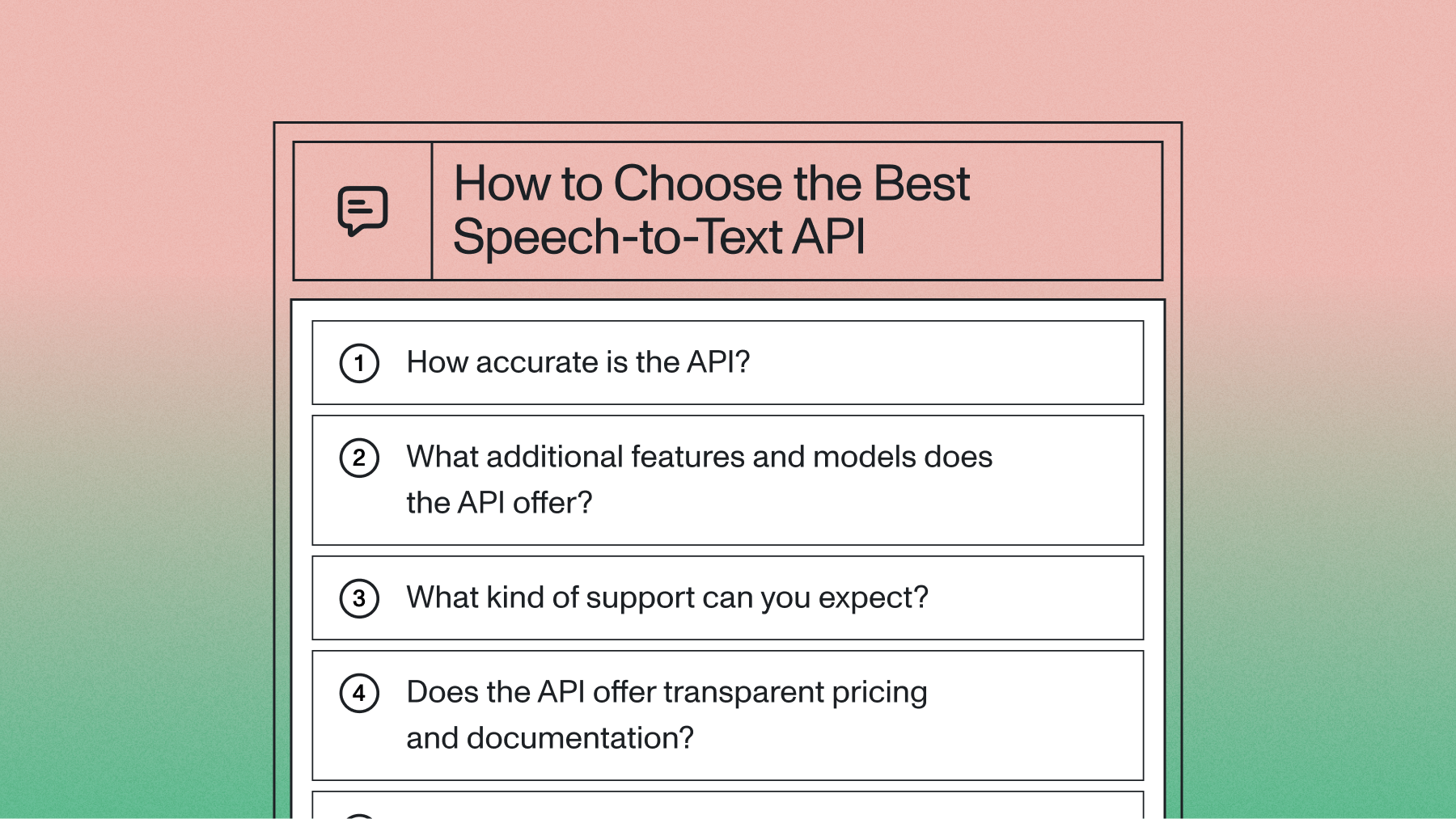

The best speech-to-text API is the one that matches your specific workload across eight criteria: accuracy on your real audio, latency (real-time vs. batch), language coverage, pricing, scale and concurrency, compliance, developer experience, and support. There's no single "best" provider for everyone—a voice agent team optimizes for streaming latency and accuracy, while a media platform optimizes for batch throughput and Speech Understanding features. This guide gives you a decision framework so you can evaluate any speech-to-text API against the requirements that actually drive your product.
Below, we break down each evaluation criterion, show how to run a benchmark you can trust, and explain which AssemblyAI model fits which job—Universal-3 Pro for pre-recorded audio, and the new Universal-3.5 Pro Real-Time for streaming and voice agents. We close with a comparison table and a FAQ covering the questions buyers ask most.
What is a speech-to-text API?
A speech-to-text API converts spoken words into written text through a developer interface. You send audio files or live streams to an endpoint and receive accurate transcripts back—often with word-level timestamps, speaker labels, and confidence scores—without building or training Voice AI models yourself. The provider manages the infrastructure that processes audio at scale.
How speech-to-text APIs work
Your application sends an audio file or a live audio stream to the provider's endpoint. The provider's AI models process the audio, convert speech to text, and return the transcript—frequently enriched with metadata like timestamps and speaker labels. The provider handles model serving, scaling, and uptime, so your team focuses on the product instead of the pipeline.
Types of speech-to-text API architectures
Three architectures handle different processing needs, and your choice shapes both cost and implementation:
- Asynchronous (batch) APIs: Process pre-recorded files and return complete transcripts. Ideal for media content, call recordings, and analytics.
- Real-time streaming APIs: Handle live audio over a persistent connection, returning incremental transcripts. Essential for voice agents, live captioning, and contact centers.
- Self-hosted deployment: Run Voice AI models inside your own infrastructure for strict data-control requirements.
Batch and streaming have different accuracy profiles and pricing, so evaluate them separately. We'll come back to this in the latency section.
The eight criteria for choosing a speech-to-text API
Use these eight criteria as your evaluation framework. Weight them according to your use case—a real-time voice agent and a podcast-transcription tool will rank them very differently.
Accuracy: how to measure it without fooling yourself
Accuracy is the single most important criterion, but measuring it well is harder than it looks. Word Error Rate (WER) is the standard metric—the percentage of words inserted, deleted, or substituted versus a human reference transcript. The catch: as modern models push past human transcription quality, the reference itself can be the source of error.
AssemblyAI's research found that when Universal-3 Pro showed disproportionate "insertions"—words not in the human reference—the vast majority were actually correct words the human transcriptionist missed. A lower WER can reflect a worse model if the ground truth is flawed. See our deeper write-ups on why WER is broken and how accurate speech-to-text really is.
Three error types drive WER:
- Insertions (often hallucinations): words the model added that weren't spoken.
- Deletions: spoken words the model missed.
- Substitutions: wrong words (e.g., "Cadillac" transcribed as "cataracts").
How to run a benchmark you can trust
The most reliable test uses your own audio, not public leaderboards. Follow this methodology (and see our full guide on how to evaluate speech recognition models):
- Collect 10–20 representative files reflecting your real conditions—noise, accents, domain vocabulary.
- Obtain human-verified reference transcripts (your ground truth), and validate them carefully.
- Submit identical files to each API you're evaluating.
- Normalize outputs with the Whisper Normalizer (lowercasing, punctuation removal, common semantic mappings like "two" vs. "2").
- Calculate WER with a library like jiwer—then listen to flagged "insertions" before counting them as errors.
AssemblyAI publishes open-source tooling for internal benchmarking pipelines, including truth-file correction and semantic word-list generation.
What strong accuracy looks like
For pre-recorded English, Universal-3 Pro posts a mean WER of 5.6% (median 4.9%), with 4.87% on CommonVoice, 8.80% on Earnings21, 1.52% on LibriSpeech Clean, and 6.77% on TedLium—measured across 250+ hours, 80,000+ files, and 26 datasets. Its multilingual FLEURS average is 4.58%. Just as important for production: its hallucination rate is roughly 30% lower than Whisper's, and its LLM-based decoder leads on entity accuracy (names, brands, technical terms). See the full benchmarks and the Universal-3 Pro launch for methodology.
One more accuracy note specific to real-time: streaming models historically transcribe each utterance in isolation, which hurts accuracy on conversational audio. Universal-3.5 Pro Real-Time changes that—more on that below.
Try our API for free and benchmark it on your own audio.
Latency and real-time capabilities
If your product needs live results—voice agents, contact-center assist, live captions—latency is a first-class criterion. Streaming APIs return incremental transcripts over a WebSocket as the person speaks; batch APIs return a complete transcript after the file is processed. Don't compare their WER scores directly: they solve different problems at different complexity levels.
Providers also measure latency differently (time-to-first-word vs. full-utterance time), so test in your own environment with your own audio and configuration. For deeper context, see our guide to real-time speech-to-text.
For streaming workloads, AssemblyAI's recommended default is Universal-3.5 Pro Real-Time, the highest real-time accuracy we've shipped. Its headline capability is Context Carryover: the model interprets each turn in the context of prior turns in the conversation, which reduces utterance error rate in real-world dialogue. AssemblyAI is first to market with this capability for streaming STT. It also offers:
- Three configurable modes—min latency, balanced (default), and max accuracy—so you tune the latency/accuracy trade-off per use case (max accuracy for noisy drive-thru ordering; min latency for snappy agents).
- 19 languages with mid-sentence code-switching.
- Voice Focus mode: noise cancellation that isolates the primary speaker for cleaner transcription in noisy environments.
It connects at wss://streaming.assemblyai.com/v3/ws. (The older Universal-3 Pro Streaming model is still available; Universal-3.5 Pro Real-Time is the newer, more accurate option.)
Language coverage
If you serve a global audience, count languages and check for code-switching and auto-detection. For pre-recorded audio, Universal-2 supports 99+ languages, while Universal-3 Pro covers 6 high-accuracy languages (English, Spanish, French, German, Italian, Portuguese) with its LLM-based decoder. For real-time, Universal-3.5 Pro Real-Time supports 19 languages with mid-sentence code-switching—a meaningful jump for global voice agents. See our overview of the multilingual Universal-3 Pro for details.
Pricing and total cost of ownership
Per-hour rates are only part of the story—factor in add-ons, volume discounts, integration time, and the cost of fixing accuracy errors. The best APIs publish transparent, per-second pricing with no minimums and no forced contracts. AssemblyAI's public pay-as-you-go rates:
Add-ons are transparent too: keyterms prompting (async) +$0.05/hr, diarization (async standard) +$0.02/hr, streaming diarization +$0.12/hr, Medical Mode +$0.15/hr. EU data residency (api.eu.assemblyai.com) is the same price as US. See the full pricing page.
Scale and concurrency
A great demo means nothing if the API caps out under load. Look for proven volume (millions of hours processed), unlimited concurrency, and a track record without outages. Check the provider's public status page and ask about concurrency limits before you commit—a managed API should scale instantly as you send more requests, with no capacity planning on your side.
Compliance and data security
Run compliance review early; it often eliminates vendors before you invest in accuracy testing. Evaluate:
- Encryption in transit and at rest.
- SOC 2 Type 2 and GDPR posture.
- BAA availability for healthcare workloads. AssemblyAI is a business associate under HIPAA and offers a Business Associate Addendum (BAA), available to sign in minutes without a sales call. (Avoid vendors that simply claim to be "HIPAA-compliant"—that phrase isn't meaningful on its own.)
- Data residency (EU processing and storage where required).
- Retention controls, including zero-retention modes for financial and legal applications, and training-data opt-out.
Developer experience, support, and innovation
Integration quality compounds over time. Look for clean documentation, SDKs in your language, and a fast path to your first request—you should be transcribing within minutes of getting an API key. Then look at support and pace of improvement:
- Support: responsive help across email, messaging, or Slack; a dedicated account manager and support engineer for production teams. Big-cloud STT APIs are notorious for going unsupported and rarely updated.
- Innovation: a transparent, frequently updated changelog is the clearest signal a provider is genuinely shipping. AssemblyAI publishes detailed updates weekly via its public changelog. No changelog—or a stale one—is a red flag.
- Forward-deployed engineering: for larger teams, AssemblyAI embeds engineers with your team to reduce integration overhead and tune performance as you scale.
Additional Speech Understanding features to evaluate
Beyond core transcription, Speech Understanding models extract more value from each transcript—summarization, speaker diarization, PII redaction, auto chapters, topic detection, content moderation, sentiment analysis, entity detection, and keyterms/custom vocabulary for accuracy boosting. Confirm which are included at base rates versus charged as per-minute add-ons that compound at scale.
Try our API for free—$50 in free credits, no contract.
Which AssemblyAI model should you choose?
Choosing the right speech-to-text API: the short version
Score every provider on the eight criteria above, weighted for your use case, and benchmark the finalists on your own audio. The "best" API is rarely the cheapest per hour—it's the one that delivers the accuracy, latency, languages, scale, and compliance your product needs, backed by support and a real pace of innovation. When you're ready to test, get your free speech-to-text API key and run your benchmark.
Frequently asked questions
What is the best speech-to-text API?
There's no universal best—it depends on your use case. Score providers on accuracy, latency, language coverage, pricing, scale, compliance, developer experience, and support, then benchmark finalists on your own audio. For pre-recorded audio, AssemblyAI's Universal-3 Pro leads on accuracy and hallucination rate; for real-time, Universal-3.5 Pro Real-Time is the strongest option.
Are there free speech-to-text APIs?
Yes. Many providers offer free tiers (AssemblyAI includes $50 in free credits), and open-source models like Whisper are available for self-hosting. Commercial APIs handle infrastructure, scaling, and compliance, while open source shifts those responsibilities—and their cost—onto your team.
How is accuracy measured for speech-to-text?
Primarily with Word Error Rate (WER), which compares a transcript to a human reference and counts insertions, deletions, and substitutions. WER has real limitations when models outperform the humans who created the reference, so validate your ground truth and listen to flagged "insertions" before counting them as errors.
What's the difference between real-time and asynchronous transcription?
Asynchronous (batch) transcription processes complete pre-recorded files and returns a full transcript; real-time (streaming) transcription converts live audio into text as it's spoken. They have different accuracy profiles and pricing and should be benchmarked separately. For Universal-3 Pro, batch is $0.21/hr and streaming is $0.45/hr.
Which AssemblyAI model is best for real-time voice agents?
Universal-3.5 Pro Real-Time. It's the recommended default for voice agents and live transcription, with Context Carryover (interpreting each turn in the context of prior turns), 19 languages with code-switching, Voice Focus noise cancellation, and three configurable modes—min latency, balanced, and max accuracy—to tune the latency/accuracy trade-off.
How do I know if a speech-to-text provider is actively improving its models?
Check the public changelog. A transparent, frequently updated changelog with detailed release notes is the clearest signal a provider is genuinely shipping improvements. AssemblyAI publishes detailed updates weekly. A missing or stale changelog is a red flag.
Lorem ipsum dolor sit amet, consectetur adipiscing elit, sed do eiusmod tempor incididunt ut labore et dolore magna aliqua. Ut enim ad minim veniam, quis nostrud exercitation ullamco laboris nisi ut aliquip ex ea commodo consequat. Duis aute irure dolor in reprehenderit in voluptate velit esse cillum dolore eu fugiat nulla pariatur.
Related posts